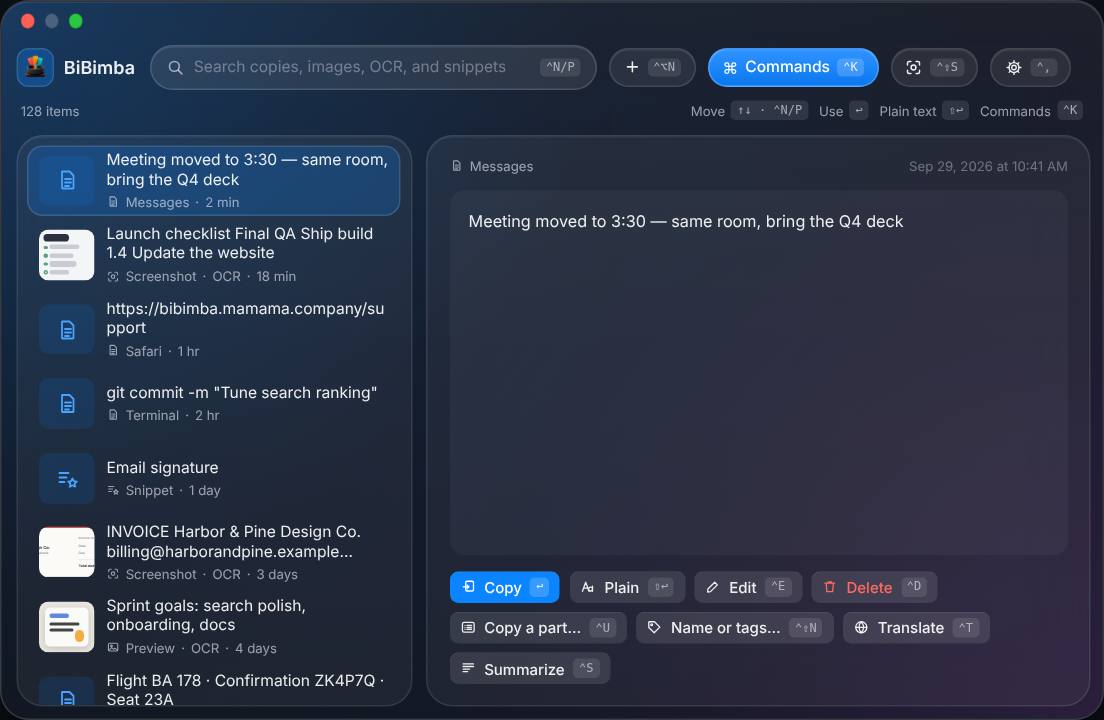
Keep copied text, images, and links in one history. Search the words inside screenshots and copy just the part you need. Edit images, convert files, and translate text, too.
Find something you copied earlier or take text from an image, without retyping it.
Find something you copied earlier
Search your history of text, images, URLs, and files. Preview an item and copy it again, or paste it as plain text.
Invoice
Invoice — Harukaze DesignScreenshot · OCR
↵
Here is this month's invoice.Copied text
Email for sending an invoiceSnippet
Search and copy screenshot text
Text is recognized in the background after you take a screenshot. Find it by a word inside it, not its filename or where you saved it.
ORDER CONFIRMATIONThanks for your orderOrder numberATLAS-2048
Recognized textATLAS-2048
✓
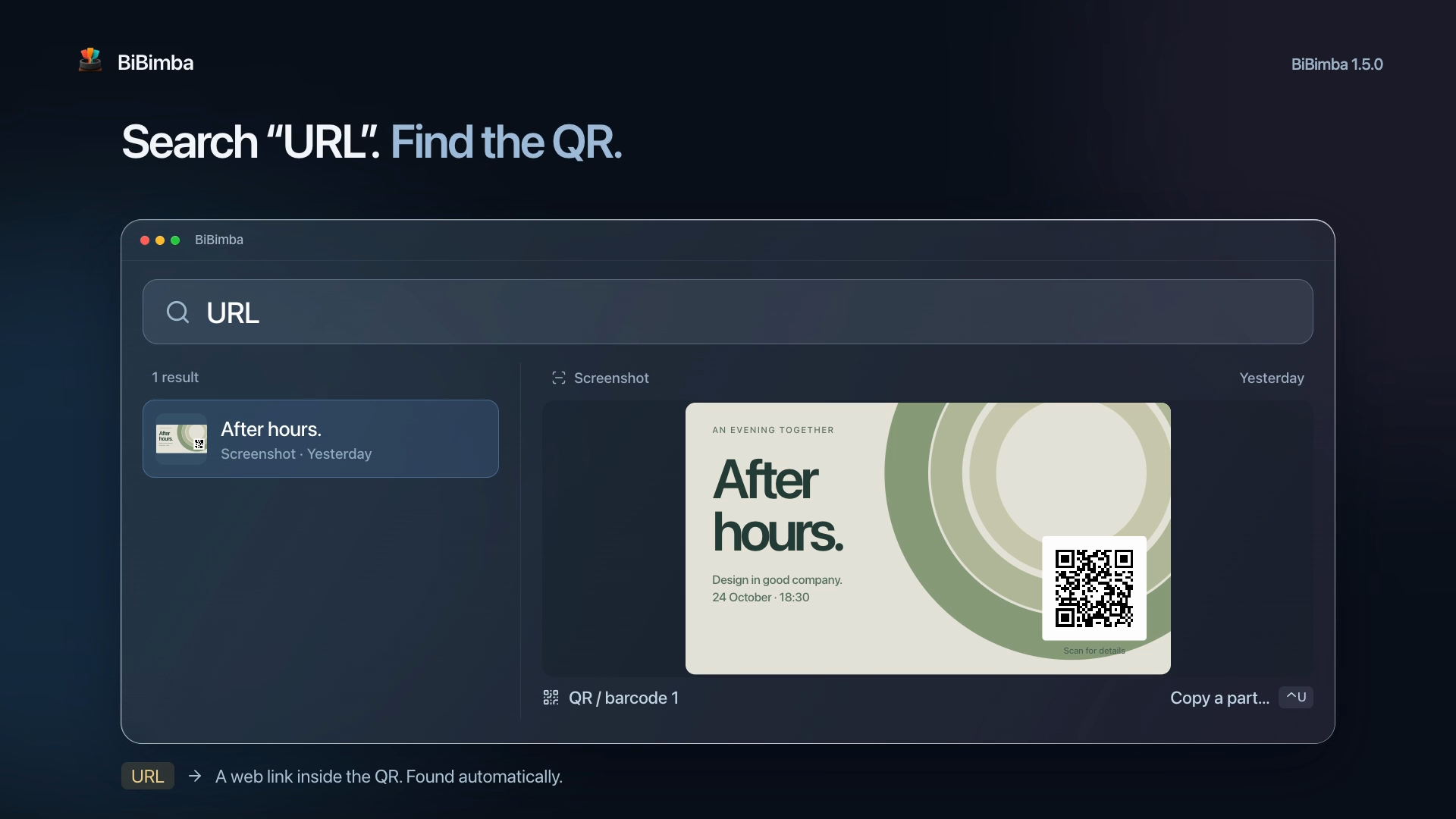
Copy a QR link or just one detail
Copy QR contents, links, email addresses, and other detected parts. Search for URL to find QR images containing web links.
QR / barcodeURLEmailPhone number
Add notes and keep reusable text
Add titles and notes to remember why you saved something. AI suggests tags from your notes. Save signatures or replies as reusable snippets.
WorkInvoiceReplyYou can edit the tags
Annotate images and change formats
Add arrows, shapes, text, and pen strokes to screenshots. Convert images selected in Finder, including batches of the same format. Originals are kept.
PNGJPGHEICTIFFWebP
Translate, summarize, or rewrite
Translate copied text or OCR results. Summarize long text, draft a business email, or turn it into bullet points. You can save your own instructions as actions.
Search covers history saved in BiBimba, not every image on your Mac. Text and QR recognition can make mistakes.
Summaries, rewrites, and suggested tags require Apple Intelligence on a supported setup. Image conversion supports still images; metadata and HDR are not preserved.
⌃⇧C
Prefer the keyboard? Open BiBimba, search, and copy without reaching for the mouse. Shortcuts can be changed in Settings.
App interface languages
English, Japanese, and eight more languages.
Menus and settings in your language. BiBimba follows your macOS language, and you can change it in Settings.
Showing English illustration
Interface languages are separate from OCR and translation languages. Choose preferred OCR languages in Settings. Translation and AI availability depend on macOS and your setup.
Choose a language to see its interface illustration.
See how it works
Capture. Search. Copy and use.
From searching the words in a screenshot to copying a link from a QR code, in 41 seconds.
Can BiBimba manage and extend Mac clipboard history and search screenshot text?
Yes. BiBimba is a Mac clipboard manager that searches clipboard history, screenshots, and text in copied images. Screenshot OCR extracts text so you can find it again and paste it.
Which Macs are supported?
BiBimba runs on Apple silicon Macs with macOS 26 or later. Summaries, rewrites, and some other features require a supported setup with Apple Intelligence enabled.
Is there a monthly fee?
No. BiBimba is a one-time purchase for 3 active Macs, and all 1.x updates are included. Buy again with the same email to add 3 more Macs.
Which interface languages are available?
BiBimba supports Japanese, English, Simplified and Traditional Chinese, Korean, Spanish, French, German, Portuguese, and Arabic.
How do I install it?
Download the DMG from this site, move BiBimba to your Applications folder, and open it. The app is distributed with Apple notarization.
What about refunds?
If you need a refund, you can make a request through Link Support from your purchase receipt. For requests made within 60 days of purchase, Link will respond based on the circumstances. This does not affect any consumer rights that apply where you live.